
Application Acceleration Manager: Complete Guide (2026)
Every second counts in today’s digital world, and that’s not an exaggeration. An application acceleration manager exists precisely because of this — whether someone’s shopping online, pulling up a business dashboard, or just trying to open a cloud app before a meeting starts, even a small delay is enough to cause real frustration. Multiply that across thousands of users and it turns into something businesses actually feel — lost productivity, dropped carts, revenue that quietly disappears without anyone quite noticing why.
That’s why more and more businesses are turning to an application acceleration manager to keep things fast, responsive, and reliable. Instead of just throwing more bandwidth at the problem, it works smarter — reducing latency, optimizing traffic, and smoothing out the experience across cloud, hybrid, and on-premises setups. It’s less about brute force and more about removing whatever’s actually causing the slowdown in the first place, which is exactly the kind of application performance optimization most growing businesses can’t really afford to ignore now.
Table of Contents
- What Is an Application Acceleration Manager?
- How Does an Application Acceleration Manager Work?
- Key Features of an Application Acceleration Manager
- Top Features to Look for Before Buying
- Benefits of Using an Application Acceleration Manager
- Application Acceleration Manager vs. Traditional Load Balancer
- Cloud vs. On-Premises Application Acceleration Manager
- Common Use Cases
- Best Practices for Using an Application Acceleration Manager
- Common Mistakes to Avoid
- How to Choose the Right Application Acceleration Manager
- Future Trends in Application Acceleration
- Challenges and Limitations
- Frequently Asked Questions
What Is an Application Acceleration Manager?
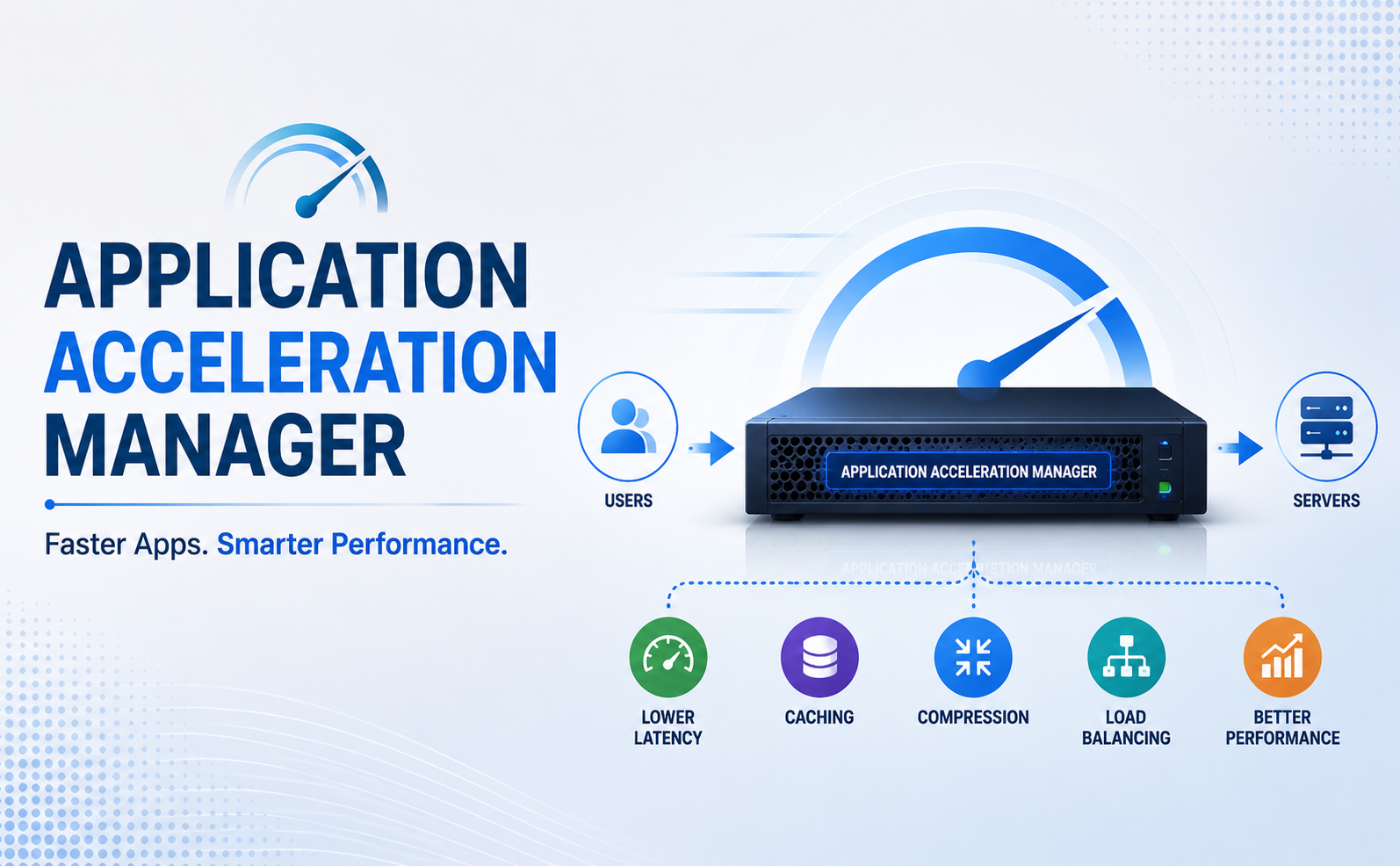
Think of an application acceleration manager as an intelligent layer sitting between your users and your application servers. It’s constantly working — optimizing how data gets delivered, cutting down unnecessary network traffic, making sure requests get processed as efficiently as they can be. Instead of just adding more bandwidth and hoping that fixes things, it actually figures out where the delay is coming from, whether that’s a repeated transfer, an overloaded server, or a network path that’s just taking the long way around.
Here’s something most articles skip over: vendors rarely sell this technology as its own separate product. More often, it lives inside something bigger — an Application Delivery Controller, a WAN optimization appliance, a cloud CDN. Every vendor names it something slightly different, which honestly makes comparing options more confusing than it needs to be. But peel back the branding, and the job underneath is the same everywhere. Keep the app fast. Keep it stable when traffic spikes hit without warning.
How Does an Application Acceleration Manager Work?
It doesn’t lean on one trick. It stacks a handful of techniques together, quietly, in the background. Here’s what’s actually going on under the hood.
1. Traffic and Load Optimization
Rather than routing every request to a single server, the system spreads them across multiple servers, sometimes across multiple data centers entirely. So when thousands of people hit “checkout” in the same sixty seconds during a sale, no single box takes the full hit while everyone else sits there refreshing the page.
2. Data Compression
Bigger files take longer to move, that’s just physics. So the manager shrinks data down before sending it, which matters a lot on long-distance connections or wherever bandwidth’s tight. Users never notice the compression itself — they just notice the page loaded fast, and move on.
3. Caching
Why rebuild the same content for the ten-thousandth visitor when you already built it for the first one? Caching keeps frequently requested data close to the user, skipping the round trip back to the origin server entirely. Small change on paper. Cuts response times more than most people expect.
4. TCP and Protocol Optimization
A lot of the protocols still running the internet today go back decades, long before today’s traffic-heavy apps existed. An application acceleration manager quietly tweaks how TCP behaves — window sizes, round-trip counts, how latency gets handled along the way. Small tweaks individually, but they add up fast across a connection spanning a continent.
5. Data Deduplication
Backup and replication jobs have a habit of sending the same blocks of data over and over without much thought. Instead of repeating that waste, the system spots the redundancy and sends only what’s actually changed since last time. Bandwidth saved, time saved too.
6. Symmetric and Asymmetric Deployment
Some setups place the acceleration manager only near the origin servers — asymmetric, and usually simpler to get running. Others deploy it on both ends, client side and server side, for deeper optimization across the whole path — that’s symmetric. Which one fits comes down to a pretty simple question: how far are your users from your servers, really?
Key Features of an Application Acceleration Manager
A capable application acceleration manager usually brings a few things to the table:
- Bandwidth control — prioritizes what matters and adjusts throughput on the fly
- Web application caching profiles — you decide what gets cached and for how long
- Multi-connection handling (domain sharding) — opens several connections at once so content loads in parallel
- Encrypted tunneling — keeps data secure in transit without dumping extra load onto servers
- Real-time analytics — you see latency and bottlenecks as they happen, not after someone’s already complained
- Geographic content variation — serves a version of the content tuned to wherever the visitor actually is
Top Features to Look for Before Buying
Not every application acceleration solution on the market works the same way, and honestly, some vendors oversell what’s really just basic caching with a fancier name attached.
Adaptive caching matters more than people realize — you want rules that adjust as traffic patterns shift, not something someone has to manually update every quarter. Protocol-level optimization should cover more than just legacy TCP tuning too, since a lot of traffic now runs on newer standards.
Security shouldn’t feel like an afterthought either; encryption and DDoS-aware handling should sit inside the core package, not arrive as an add-on you discover you need after an incident. Scalability is worth checking closely as well, because switching platforms later, once you’ve outgrown one, is a genuinely painful project. And don’t underestimate vendor support — documentation that actually makes sense, and a support team that answers when something breaks at 2 a.m., matters more than most spec sheets let on.
Benefits of Using an Application Acceleration Manager
Faster load times. Quicker responses, more engaged users, fewer people bouncing after two impatient seconds. Google’s watching this too, through Core Web Vitals, so it’s not just a vanity metric anymore.
Lower infrastructure costs. You get more out of servers you already own instead of throwing money at new hardware every time traffic grows a bit.
Fewer meltdowns during peak traffic. No frozen checkout pages during your biggest sale of the year. That alone tends to justify the investment for a lot of businesses.
A more consistent experience across regions. Someone browsing from Karachi shouldn’t get a dramatically worse experience than someone browsing from Toronto. Compression and caching quietly close that gap.
Less strain on the backend. Offload the repetitive work, and servers get to spend their energy on requests that actually need fresh processing.
A real competitive edge. In industries where speed directly drives conversions, consistent application performance optimization genuinely ends up being the difference between winning a customer and losing one.
Application Acceleration Manager vs. Traditional Load Balancer
People mix these two up constantly, even though they solve fairly different problems.
| Feature | Application Acceleration Manager | Traditional Load Balancer |
|---|---|---|
| Primary Goal | Improve application performance | Distribute incoming traffic |
| Technologies | Caching, Compression, TCP Optimization | Round Robin, Least Connection |
| Focus | End-user experience | Server availability |
| Deployment | Integrated with ADC/CDN | Standalone or ADC |
In practice, most modern platforms just fold both into one Application Delivery Controller anyway, so businesses get load balancing and network acceleration without juggling two separate systems.
Cloud vs. On-Premises Application Acceleration Manager
One decision that comes up early is whether to run an application acceleration manager in the cloud or keep it on-premises, and there’s no single right answer here.
Cloud-based application acceleration deploys fast, scales on its own as demand shifts, and doesn’t need much upfront hardware investment. It tends to suit businesses running SaaS platforms or teams spread across different locations, since the provider handles updates and infrastructure for you. The trade-off, usually, is a bit less granular control over the finer configuration details.
On-premises application acceleration hands full control back to your IT team — hardware, security policy, custom configuration, all of it. It fits organizations with strict compliance needs or unusually specific performance requirements better. The cost, though, is higher upfront spending and the ongoing job of maintaining that hardware yourselves.
A lot of enterprises end up somewhere in the middle honestly, running a hybrid setup, keeping on-premises appliances for sensitive workloads while leaning on cloud-based acceleration for everything else.
Common Use Cases
- E-commerce platforms handling high-traffic sales events where every second of delay affects conversions
- Financial services that need fast, secure transaction processing
- Healthcare systems delivering time-sensitive patient data to practitioners
- SaaS and cloud applications where employees expect instant tool loading throughout the workday
- Remote and hybrid teams relying on cloud apps over varying network conditions
- Data replication and backup across geographically distant data centers
Best Practices for Using an Application Acceleration Manager
Installing the technology is really only half the job — a few habits tend to separate teams that get genuine value from it and teams that just paid for something that sits there half-configured.
Start by actually measuring your baseline before you change anything. You can’t prove improvement if you never wrote down where you started. From there, revisit caching rules on a regular basis, because traffic shifts and rules that made sense six months ago might now be quietly serving stale content to real users. Pairing acceleration with a CDN tends to work better than picking one or the other, since the two complement each other rather than compete.
Monitoring matters too, and not just after something breaks — catching a slowdown early costs a lot less than fixing an outage after customers already noticed. Security settings deserve the same attention as performance settings; treating them as two separate projects usually backfires eventually. And test under conditions that actually resemble your worst day, not your quietest Tuesday, because a setup that looks fine on a calm afternoon can fall apart the moment real peak traffic hits.
Common Mistakes to Avoid
Even teams with good intentions run into avoidable trouble here.
Treating the setup as a one-time task is probably the most common mistake — you need to revisit configurations as applications and traffic change, not leave them alone for years. Over-caching dynamic content is another frequent trap; aggressive rules applied to data that changes often can end up serving users information that’s already outdated.
Teams overlook mobile conditions a lot too, since optimizations tuned purely for stable broadband can fall apart on a shaky mobile connection. Skipping load testing before a major launch or sale is another one — assuming the system will “just handle it” is a surprisingly expensive assumption to get wrong. And picking a solution purely on price rarely ends well, because the cheapest application acceleration solution doesn’t always fit your actual traffic patterns.
How to Choose the Right Application Acceleration Manager
Don’t just grab whatever shows up first in a search. Sit with these questions for a minute first.
- What deployment actually fits you? Hardware appliance, pure software, or a cloud-native service — each comes with real trade-offs, and there’s no universally right answer.
- Can it handle a genuine spike, not just the demo? Ask about the 3 a.m. traffic surge scenario, not the polished sales pitch.
- Will it get along with what you already have? Load balancers, CDN, security stack — none of that should need ripping out just to fit something new in.
- Can you actually see what’s happening? Real-time monitoring means catching the bottleneck before users start emailing support themselves.
- Is security built in, or bolted on later? Encryption and secure tunneling shouldn’t be an upsell.
- Does the math actually work? Weigh the latency you’ll save against what you’ll pay in licensing and upkeep, not just the number on the sales sheet.
Future Trends in Application Acceleration
This space keeps shifting alongside how businesses build and ship software, and a few directions are worth keeping an eye on.
AI-driven traffic prediction is starting to show up more, with systems anticipating demand spikes and pre-optimizing routing before traffic even arrives instead of reacting after the fact. Edge-based acceleration is another one — pushing optimization physically closer to users through edge computing rather than relying entirely on centralized data centers. There’s also a growing overlap with SASE and zero-trust architectures, blending performance and security into a single managed layer instead of two separate systems fighting for the same traffic. Protocol modernization keeps chipping away at legacy TCP-based approaches too, especially for latency-sensitive applications. And automation, generally, keeps expanding — less manual tuning for IT teams as traffic patterns shift on their own.
Challenges and Limitations
Let’s be honest, this isn’t a magic fix-it button, and anyone who claims otherwise is probably selling something.
Setup isn’t plug-and-play — caching and compression rules need real, careful tuning, or you end up serving stale content to actual paying customers. Enterprise-grade hardware isn’t cheap either, and the upfront cost can turn into a genuine budget conversation depending on how your organization handles spending. It also won’t fix bad architecture sitting underneath it; acceleration helps a lot, but a poorly built app is still a poorly built app once you peel that layer back. And it needs ongoing upkeep, not a set-it-and-forget-it mindset — traffic patterns shift, and rules that worked great last year might need another look this year, or the year after that.
Frequently Asked Questions
Is an application acceleration manager the same as a CDN? Not quite. A CDN mostly handles caching and delivering static content from servers near the user. An application acceleration manager goes further, optimizing dynamic content, TCP connections, and how traffic gets distributed on the backend too.
Do small businesses actually need one of these? Depends on your traffic, honestly. Steady growth, users spread across regions, occasional spikes — any of that, and even a lightweight acceleration setup can make a noticeable difference fairly quickly.
Does any of this actually help with SEO? Indirectly, yes. Faster pages mean better Core Web Vitals scores, and search engines factor that into rankings. Lower bounce rates from happier, faster-loading visitors help the overall picture too.
Is this only something big enterprises bother with? Not really, not anymore. Large companies still lean toward hardware appliances, sure, but cloud-based and software options have made this genuinely affordable for smaller teams too.
How is network acceleration different from application acceleration? Network acceleration usually focuses on the pathway data travels across — routing, bandwidth, packet handling. Application acceleration works a layer higher, optimizing how the application itself delivers content, often using network-level techniques as part of that process.
Does an application acceleration manager need ongoing maintenance? Yes, and this one gets overlooked a lot. Traffic patterns, app updates, and user behavior all shift over time, so caching rules and optimization settings need periodic review to stay effective.
What industries benefit most from application delivery optimization? E-commerce, financial services, healthcare, and SaaS businesses tend to see the biggest impact, since they all depend heavily on fast, reliable access to time-sensitive data.
Can an application acceleration manager work alongside existing security tools? Generally, yes. Most modern solutions are built to integrate with firewalls, VPNs, and zero-trust frameworks rather than replace them outright.